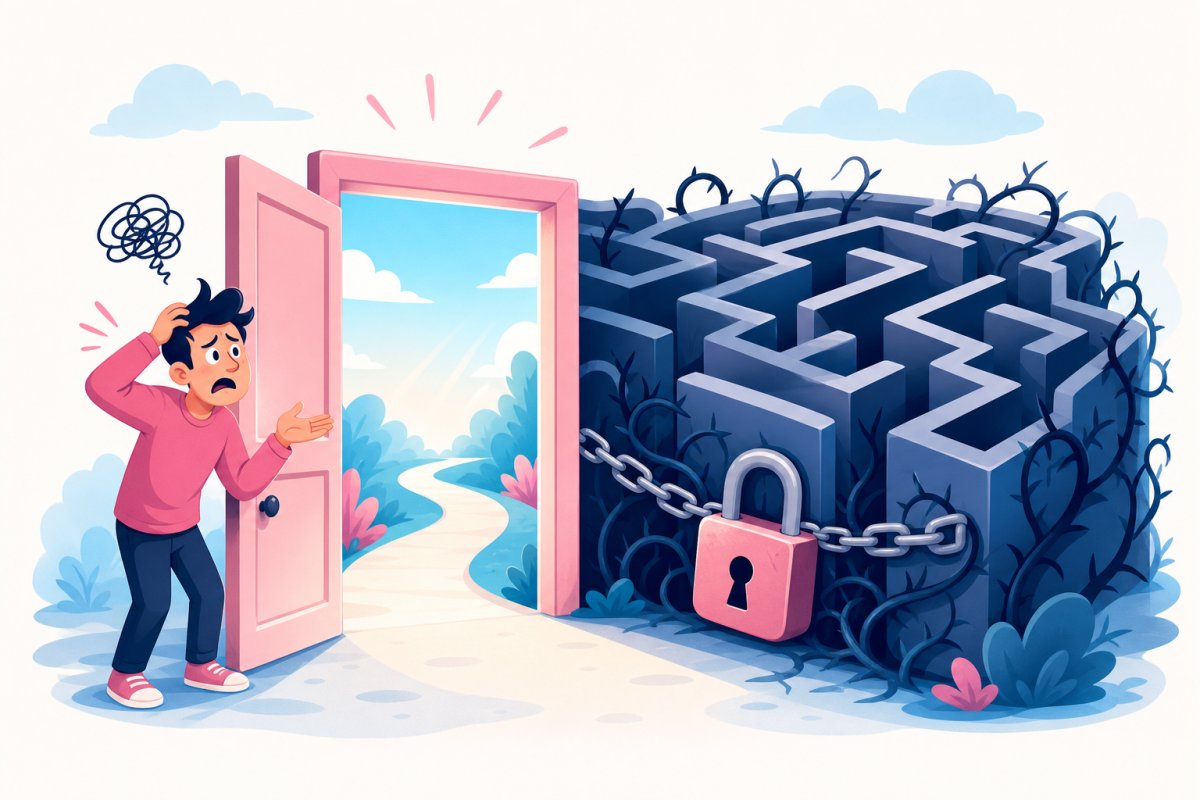
A WordPress website can appear fully functional even while scheduled jobs have stalled in the background. This article explains how to identify dependencies on WP-Cron, review Action Scheduler, and ensure reliable execution and alerts.
A scheduled campaign can remain marked as “missed” while new CRM contacts wait and the WooCommerce queue continues to grow. The website remains accessible, cash flow looks normal, and no single error message points to the cause. This is often how the problem is discovered: WP-Cron is not working when the business expects it to. The result may be delayed publishing, outdated stock levels, missing order emails, or leads reaching the sales team too late.
WP-Cron is not a clock that runs continuously. According to the WordPress cron documentation, due jobs are normally checked when the website receives a request. During periods of low traffic, or when a caching layer prevents many requests from reaching WordPress, that check can be delayed without the website itself appearing to be broken.

WP-Cron not working? Map the business workflows that are actually waiting
The problem rarely lies in a single shared cron job. WordPress core, themes, and plugins register their own hooks, and their names do not always reveal what is at stake. A cryptic hook name may be the only mechanism that sends form contacts to the CRM system or updates stock levels before the next sales day.
Start by listing the website's WordPress cron jobs with wp cron event list, then review columns such as the hook, next run, and recurring interval. WP Crontrol can provide an accessible view in the administration area, but do not run unknown hooks manually in production until you know what they change. For WooCommerce, the inventory must also include Scheduled Actions, because WooCommerce and many plugins use Action Scheduler for queued processing.
| Technical signal | Business event | Check | Potential consequence |
|---|---|---|---|
publish_future_post |
Scheduled campaign is published | Are any scheduled posts overdue? | The campaign starts later than planned |
| CRM plugin's export hook | Form contact is forwarded | When did the latest sync succeed? | Leads remain unattended |
| Product import's recurring hook | Prices and stock levels are updated | Did the latest import complete? | Customers see outdated product data |
Old pending or failed actions |
Order emails or system integrations are processed | Is the queue growing faster than it clears? | Customer communication and administration are delayed |
Do not settle for documenting the next scheduled run. Every hook needs a technical owner, a clearly defined business workflow, an expected execution frequency, and a recovery procedure. Repeated failed statuses, old pending jobs, or a queue that continues to grow may indicate missed execution, insufficient resources, or a long-running job that is blocking everything else.
Implement server cron when execution must be time-based — and monitor the outcome, not just the call
Traffic-triggered execution may be sufficient for maintenance jobs where a delay has no practical impact. It is too unreliable when an overnight product import, scheduled campaign, or integration queue must be processed even if nobody visits the website. The dividing line is where delays begin to affect customer promises, revenue, or the ability of employees to continue their work.
In that case, have the server's scheduler start WordPress regularly. One common approach is to run wp cron event run --due-now through WP-CLI; another is to call wp-cron.php. WP-CLI is often easier to log and troubleshoot, but the command must run with the correct website directory, PHP version, server user, and environment variables. Disable traffic-triggered execution with DISABLE_WP_CRON only after server cron has been tested and verified. Otherwise, you risk creating a period with no cron execution at all.
A successful process start only shows that the server was able to invoke WordPress. It does not prove that CRM records were exported, the product file was fully written, or Action Scheduler cleared the queue. Monitor the most recent successful business event, the age of the oldest pending job, failed actions, and whether the queue continues to grow. Set alert thresholds based on the business's tolerance for delays, and use locking, such as flock on a Linux server, to prevent long-running imports from starting on top of each other.

When WP-Cron becomes a hidden dependency chain in the business workflow
Map the impact of the delay — not just the name of the cron hook
A cron hook may control publishing, stock imports, subscription management, queued emails, or the removal of temporary data. Document which external system the job communicates with, what it changes, and how to recover from an interruption. This makes it possible to prioritize by business risk instead of by how technically familiar the name appears.
Example: A delayed Action Scheduler action may mean that the order has been created while payment follow-up, email delivery, or transfer to the accounting system is still pending.
Server cron solves time-based scheduling, but not stuck or overlapping jobs
Server cron removes the dependency on website traffic, but a broken job may still fail every time it starts. Long-running imports need time limits, logging, and protection against parallel execution. Jobs should also support safe retries without sending duplicate emails, creating duplicate charges, or making conflicting stock changes.
Example: Run WP-CLI from the server's cron scheduler and use flock to prevent a new import from starting before the previous one has finished.
A successful cron call does not prove that the business job completed
The server's exit code primarily indicates whether the process could run, not whether the business workflow reached its final state. Monitor outcomes such as the latest completed import, the oldest pending queue item, and permanently failed actions. For WooCommerce, the Action Scheduler view and its logs provide a more useful picture than a single green heartbeat.
Example: An external monitoring check may be green while the queue continues to grow; an alert based on the age of the oldest pending job detects the actual delay.
Four questions that reveal whether WP-Cron is a business risk
Which business-critical workflows depend on WP-Cron running on time?
Connect order transfers, stock updates, subscription renewals, invoicing, and customer communications to their corresponding technical jobs. This makes it clear which delays could affect revenue, customer promises, or internal workflows.
Do the jobs depend on someone visiting the website before they start?
If the answer is yes, the workflow lacks independent time-based scheduling. Jobs that must run during low-traffic periods should instead be started regularly by the server's scheduler.
Can we see when a job last succeeded, failed, or became stuck in the queue?
A scheduled time does not show that the work was completed. Logs, status checks, and alerts need to distinguish between delayed, failed, and unusually long-running jobs.
What happens if the same job runs twice or is interrupted halfway through?
Business-critical jobs should support reruns without creating duplicate customer events or incorrect data. Verify that the workflow has safe retries, clear error handling, and a documented process for manual recovery.
Start by ranking jobs according to their business impact and time sensitivity. The statement “WP-Cron is not working” should then lead to a concrete action: move critical jobs to server-controlled scheduling and add logging, outcome-based alerts, and tested recovery procedures. A focused engagement with FLAR AB can bring the inventory, server cron, and monitoring together into a stable workflow without changing more of the WordPress platform than necessary.