A shared WordPress installation can reduce the cost of updates and ongoing management across multiple websites. However, the wrong architecture can also link operational risks, permissions and future provider changes.
Imagine a company with six brand and market sites that need to publish the same campaign message within the same week. In this hypothetical example, WordPress Multisite can make the change simple: a shared block is updated centrally and reused across several sites. But the calculation changes if one site also needs its own payment flow, another requires a different hosting provider and a third must be prepared for sale. The administrative shortcut may then become a technical dependency that costs both time and flexibility.
This is the real decision facing an owner or marketing manager using WordPress for multiple websites. The number of sites matters less than how effectively they can share code, release schedules, integrations and technical ownership. Multisite reduces administration when the organisation accepts a shared technical lifecycle. Separate installations are often simpler when each site needs to be changed, moved or deployed independently of the others.
Here is how we would approach the choice: start with the decisions the sites are expected to share over the coming years, not with how similar their homepages look today. Two sites can have almost identical designs but entirely different business logic. Conversely, two visually distinct brands can work very well in the same network when they use the same components, integration patterns and management model.

WordPress Multisite pays off when sites can genuinely share technical decisions
At its core, a Multisite network consists of one WordPress installation that manages multiple subsites. Themes and plugin files are normally shared within the same codebase, while each subsite has its own tables for posts, pages and settings, for example. Shared code does not automatically mean shared content. Marketing teams can publish independently even when development and updates are managed centrally.
This distinction explains why Multisite can deliver clear management benefits. A shared block theme can contain page templates, buttons, form components and campaign sections used throughout the organisation. A component can then be improved in one place instead of being copied between separate WordPress sites. The same principle applies to security updates, technical quality assurance and recurring release work.
However, the benefits only materialise if the sites can accept the same fundamental decisions. If one brand wants to remain on an older version of a central plugin while another needs the latest version for a new integration, there is no natural version boundary between them. The plugin package still resides in the shared installation. Even if the plugin is only activated on certain subsites, a code update can therefore change the conditions for every site that uses it.
Superficial similarity is not enough to support the decision either. Imagine two marketing sites with the same logo placement and page types. One only sends contact forms to a shared CRM, while the other has user login, local product data and a market-specific booking system. The design can be shared, but the release requirements and risk of failure differ. If the local site must deploy a critical integration change on the same day that the rest of the network is under a release freeze, the shared platform becomes an obstacle.
A sustainable Multisite setup therefore treats local differences as configuration whenever possible. Logos, colour themes, typography, permitted blocks and contact details can be controlled through documented variations built on top of a shared theme. Copied custom themes often appear flexible at first, but they soon create multiple code branches that must be tested and maintained. The duplicated work then returns within the network, while the sites retain Multisite’s shared risk exposure.
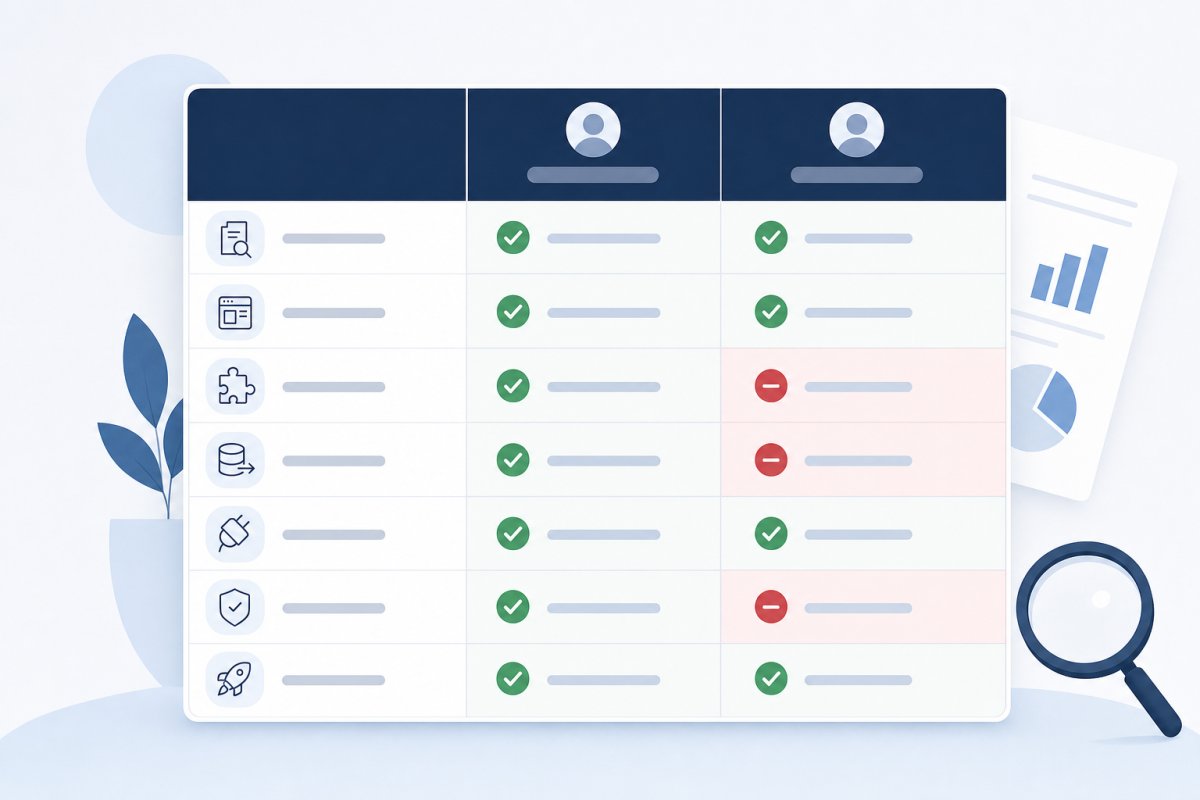
The table below shows how we usually distinguish genuine standardisation from dependencies that favour separate installations. It is a decision aid, not an automatic scoring model.
| Decision area | Favours Multisite | Favours separate installations |
|---|---|---|
| Theme and components | The sites can use the same base theme, blocks and available variations. | Each site requires recurring code deviations or its own technical architecture. |
| Release process | All sites can follow shared testing and release windows. | Local teams must be able to deploy independently and with different priorities. |
| Plugin policy | Requirements can be met by a controlled and compatible set of plugins. | One brand needs its own versions, custom plugins or faster upgrades. |
| Integrations | CRM, forms, identity and search follow the same integration patterns. | Markets have different data sources, authentication or external release requirements. |
| Technical ownership | One shared function is responsible for budget, prioritisation and operations. | The sites have different owners, providers or likely future buyers. |
The first thing we consider is therefore not how many domains need to be brought together, but whether the organisation can define a shared technical policy. If the answer is “yes, except for almost every market”, the standardisation is probably more theoretical than real.

A shared platform does not mean editors need shared control
A common objection to WordPress Multisite is that all editors would end up in the same administrative environment and could therefore affect other brands. The solution does not have to be designed that way. The network administrator manages the overall installation, while local administrators and editors can be restricted to their own subsite. An account can also have different roles on different sites.
Network administration should be reserved for a small, clearly designated group with technical responsibility. This is where theme and plugin installation is managed, along with settings that affect the entire network. Local administrators should instead work with their own site’s users, menus, content and the functionality made available centrally. Marketing editors can have an even more restricted role focused on content and publishing.
The division of roles is not only a security issue. It also protects the shared management model from temporary local solutions. If every market can install its own plugins, the ability to anticipate conflicts, licensing requirements and upcoming update work quickly disappears. At the same time, central restrictions must not make routine content changes dependent on a developer. Campaign pages, menu adjustments and form copy should be managed where the relevant business knowledge resides.
The following permissions matrix is an illustrative example. The precise roles need to be adapted to the organisation’s responsibilities, but the matrix makes one crucial point visible: who is allowed to decide, who is allowed to act and who only works with content.
| Task | Central IT | Brand manager | Marketing editor | External agency |
|---|---|---|---|---|
| Code update | Approves and deploys | Is informed and accepts the business impact | No access | Develops through the agreed code process |
| Plugin activation | Reviews and makes available | Requests it for the relevant site | No access | Recommends it when there is a documented need |
| User management | Manages network administrators | Approves local roles | No or limited access | Only its own named accounts |
| Publishing | No standard editorial role | Owns the publishing workflow | Creates and publishes according to role | Publishes only if required by the assignment |
| Menus and forms | Defines technical boundaries | Approves structure and recipients | Edits permitted sections | Builds integrations as commissioned |
Shared templates work best when local variations have names and rules. A brand can, for example, choose from approved colour themes, use its own logos and select from a defined set of blocks without receiving a copy of the entire theme. This makes the differences understandable to both editors and developers. When the next central design change arrives, it is possible to see which variations need testing instead of searching for hidden changes across multiple theme copies.
The user lifecycle deserves the same clarity. Because user accounts are normally shared at network level, onboarding, role changes and offboarding must be managed centrally enough to ensure that no one retains broader access than their assignment requires. For the organisation, this means fewer unclear permissions and less time spent investigating who changed what. For external agencies, it also creates a clear boundary between access to one brand and control over the entire platform.
Hosting and integrations determine the network’s actual risk level
Centralised operations are one of the strongest arguments for Multisite. Code can be version-controlled in Git, tested in a shared staging environment and deployed through a coordinated process. Security updates do not need to be planned separately for each installation. The administrative savings are real when the sites can genuinely operate at the same pace.
The same characteristic creates the network’s greatest technical risk: a fault in shared theme code or a network-activated plugin can have a much wider impact. A faulty form component can affect contact channels for several brands, while a code change that breaks page rendering can disrupt multiple domains at once. The business impact is then greater than that of an isolated website failure, as several campaigns, customer journeys or markets may be affected during the same incident.
The number of sites is therefore a poor measure of risk. A smaller network with tightly coupled, business-critical integrations may require more care than a larger network of simple information sites. What matters is how many shared points of failure exist, how quickly they can be detected and whether a change can be activated gradually. A shared codebase does not have to mean that every new feature is enabled everywhere at once; site-specific configuration options or feature flags can limit the rollout while the solution is being verified.

Domain management is a concrete example. Subsites can use their own domains, but DNS, certificates, the CDN and caching must understand which hostname belongs to which site. A CDN is the service that delivers files close to the visitor; an incorrect configuration can therefore show a visitor outdated content or content intended for the wrong domain. The caching layer must be compatible with Multisite and distinguish between sites, languages, logged-in users and other relevant variations.
Authentication requires a similar review. If several market sites use the same identity provider, a shared integration may be sensible. However, if one market requires a unique return address after login, its own user directory or a separate release process, the shared solution may become difficult to test. A callback URL is simply the address to which an external service sends the user back. If it is incorrect, the customer may be unable to complete a login or payment, making an apparently technical detail directly business-critical.
Identical provider names do not necessarily mean identical integrations. Two sites may both use the same CRM but have different API keys, field models, webhooks and responsible teams. A webhook is an automated message from one service to another; if the recipient or data differs between markets, each flow must be tested and troubleshooted separately. The integration inventory should therefore describe API keys, data storage, webhook addresses, languages, responsible owners, troubleshooting procedures and the need for separate deployment for each site.
Search functionality is another potential dividing line. A shared search index can be efficient if content should be discoverable across several brands. However, if markets have different product ranges, language rules or publishing requirements, separate indexes and clear filters are often needed. Otherwise, unpublished or market-specific content may appear in the wrong place. To the customer, it looks like a poor search experience; behind the problem is often a data model that has not been sufficiently isolated.
The staging environment must reflect the dependencies that can actually fail. It is not enough to open the homepage and confirm that the theme loads. The team needs to test forms, login, search results, language switching, caching, scheduled publishing and plugins used only on certain subsites. A representative test set is more valuable than mechanically clicking through every page because it captures variations in technology and business flows.
The recovery plan should also distinguish between three scenarios: restoring a file, restoring a subsite’s data and restoring the entire network. Not every backup solution that works for a standard WordPress installation can handle an individual subsite safely and efficiently. When site tables and users share the network structure, a poorly planned database restoration can overwrite newer content on other sites. The hosting provider must therefore be able to explain both how backups are created and how a targeted restoration is performed.
Separate installations reduce the reach of certain failures, but they do not eliminate operational responsibility. Multiple standalone sites may instead end up with different plugin versions, inconsistent security procedures and forgotten updates. The choice is therefore not between risk and no risk. It is between centralised risk that requires strong testing and isolation, and distributed risk that requires consistent management across multiple locations.
Plan the separation before a site needs to be sold or transferred
When the disadvantages of WordPress Multisite are discussed, the focus is often on plugin support or operations. The most expensive long-term issue may instead be how a subsite leaves the network. A brand may be sold, a market may gain a different technical owner or the organisation may want to change providers for only part of its website portfolio. If separation has never been planned, every shared dependency becomes a matter for negotiation and migration.
WordPress’s built-in export tool can move a great deal of content, but a complete separation involves more than pages and posts. Uploaded files need to be copied with the correct paths, internal links need to be adjusted and the domain must be redirected without losing old URLs. Settings, form configurations, metadata and certain plugin-related data may reside in database tables that require a dedicated migration method.
Users are a specific concern because accounts normally exist across the network while roles are linked to each subsite. During a separation, the organisation must determine which accounts should be transferred, how they should be recreated and who will be responsible for them after the move. Shared administrator accounts should not simply be copied to the new installation for convenience, as access and ownership may then become unclear.
The code also needs a new owner. If the subsite uses a central base theme, the separated site must receive a functional and maintainable version of that theme, together with documentation covering the build process and dependencies. Plugin licences, fonts, analytics tools and external service agreements may have been purchased for the entire network and cannot always be treated as though they belong to the individual site. The question is therefore not only whether the site can technically be exported, but whether it can continue operating without ongoing access to the previous organisation’s code and accounts.
A practical separation plan specifies what happens to the database, media, users, domain, theme, plugins, analytics, search indexes and external integrations. It also describes how redirects will be preserved and how forms and other business flows will be verified after the move. The plan does not mean that separation is imminent. It serves as documentation of the dependencies the organisation has actually accepted.

Here is how we would approach the cost question: do not compare only today’s number of updates with the cost of multiple installations. Also include the value of independent release decisions, provider changes and future changes of ownership. Cheaper central management may be the right choice, but only when the organisation consciously accepts the cost of a potential separation.
Separate WordPress sites are often less risky when different legal or commercial owners need to make their own technical decisions, when operational requirements differ significantly or when a transfer is likely. This does not mean that all code must be developed multiple times. A shared theme or component package can be version-controlled and distributed to several standalone installations. The difference is that each site decides when to adopt the next version.
A hybrid is often better than one decision for the entire website portfolio
Organisations can easily find themselves facing a false choice between one large Multisite network and entirely standalone sites. In practice, a hybrid can provide a better balance. A group of market sites that share a theme, CRM and management model can belong to the same network, while an online store with its own payment flow uses a separate installation. A brand that is likely to be sold can also be kept outside the network from the outset, even if its design resembles the other sites.
The grouping should follow technical ownership and pace of change rather than the organisational chart. Two markets within the same business area may need to be separated if their integrations and release windows are completely different. At the same time, several independent brands can coexist within one network if they are managed by the same team and accept the same plugin policy. The dependency pattern, not the brand structure, is what determines the right choice.
A hybrid still requires discipline. If a shared component package is used both in Multisite and on separate installations, versions, compatibility and documentation must be managed clearly. The benefit is that the organisation can reuse design and code without making every site dependent on the same database, hosting environment or deployment schedule.
The pitfall we usually look for is a hybrid that has emerged by accident: some sites are in the network, others are hosted by different providers and no one knows which elements are shared. A deliberate hybrid, by contrast, has stated reasons for every placement and a shared management overview. This makes it possible to see which sites can be moved together, which should be updated separately and where business-critical dependencies exist.
The criteria that determine whether WordPress Multisite is suitable
Do not assess Multisite based on how many sites you have, but on how much they can genuinely share without creating unwanted dependencies. The following criteria help you weigh coordination benefits against risks relating to operations, editorial responsibility and future changes of ownership.
Verify that the sites can share technical decisions
Multisite delivers the greatest benefit when the sites can use the same underlying architecture, version plan, security procedures and shared set of themes or plugins. Review actual requirements from upcoming campaigns, integrations and product roadmaps instead of relying on their current visual similarity. If every brand or market regularly requires its own technical exceptions, the network can easily become a queue in which everyone must wait for everyone else’s decisions. A clearly defined configuration option is manageable, while separate code versions quickly undermine the value of centralisation.
Indicator: Confirm that you can define which components should be shared, who owns them and which exceptions genuinely need to be permitted.
Separate platform governance from editorial permissions
A shared installation does not have to mean that editors gain access to other brands’ content or settings. Roles, publishing workflows and network administration should be designed so that each team can work independently within clear boundaries. Central technical decisions must be protected without routine publishing becoming dependent on IT or an external agency. This balance reduces both the risk of accidental changes and the cost of unnecessary support requests.
Indicator: A good solution clearly shows who can administer the network, each individual site, users, plugins and publishing.
Map shared points of failure in operations and integrations
A shared codebase, database, hosting environment and central integrations can simplify maintenance, but they can also increase the reach of a single failure. Assess isolation, monitoring, test environments, recovery and how external integrations are handled for each site. Ask for concrete descriptions of how a plugin update is tested, how a feature is enabled gradually and how an individual subsite is restored. Centralisation without a plan for limiting failures merely shifts the administrative burden to incident management.
Indicator: Be cautious if the provider only describes the efficiency of centralisation without explaining how failures are contained, detected and resolved.
Require a realistic separation plan
A site may later need to be sold, moved to another provider or assigned a separate technical owner. Plan from the outset how content, media, users, domains, configuration and site-specific integrations can be exported without unnecessary dependencies on the rest of the network. The plan should also show who will own the theme, licences and external accounts after separation. When the process can be described before it is needed, both the platform decision and a future transaction become less risky.
Indicator: Confirm that there is a documented and testable process for moving an individual site out without affecting the other sites.
Ensure the management model can accommodate local needs
Multisite requires clear decisions about who prioritises updates, approves plugins and handles conflicts between central requirements and local requests. If responsibilities, budgets and decision-making processes are unclear, the shared platform may accumulate technical debt and organisational constraints. Local exceptions need an owner, a justification and a review date. Otherwise, a temporary campaign requirement can become a permanent special case that every future release must accommodate.
Indicator: A good management model specifies who decides, who implements and how local exceptions are assessed over time.
Start here: implement WordPress Multisite in the right order
-
Map the sites and make a clear Multisite decision
Collect domains, languages, editors, integrations, themes and plugin dependencies in Google Sheets. Supplement the information with WordPress Site Health and WP-CLI, which provide a controlled way to inventory installations, versions and configurations from the command line. Add the technical owner, hosting provider, release frequency and likelihood of future separation for each site. The result should be a documented decision in which sites that can share a technical platform and management model are grouped together, while installations with clearly different ownership, security requirements or release plans remain separate.
-
Establish governance for the network, brands and permissions
Map the network in Miro or Lucidchart and indicate which themes, plugins, user roles, domains and integrations will be managed centrally and which will be managed locally. Document responsibilities and publishing workflows in Confluence or Notion, including how a local team requests a new plugin and who assesses the impact on the rest of the network. Also describe how external agencies receive access and how it is removed when their assignment ends. The aim is for network administrators and marketing teams to know what they can change without having to interpret the platform’s boundaries during every release.
-
Build a staging environment with a shared design foundation
Set up WordPress Multisite in a staging environment and version-control a shared base theme or block theme in GitHub or GitLab. Use global styles, reusable block patterns and brand-specific variations for logos, colours and permitted components. The staging environment should include the technical variations found in the planned portfolio, not just a clean demonstration site. Test both a simple market site and the subsites that use language features, forms, search or other distinct dependencies before finalising the architecture.
-
Migrate a representative pilot site before the rest
Choose a site that contains the most common content types and integrations, but avoid starting with the simplest site if it does not represent the rest. Migrate content using WordPress’s built-in export and import tools where appropriate, and use WP-CLI for controlled changes to URLs and database values. Check forms, redirects, languages, editorial roles, metadata, scheduled publishing and indexing settings. Document every manual step and define stop criteria for issues that must be resolved before more sites are moved; the pilot should improve the method, not merely prove that one homepage can be opened.
-
Implement centralised operations, monitoring and recovery
Manage code and updates through Git and WP-CLI so that changes can be reviewed, tested and repeated. Monitor each domain separately with UptimeRobot and track each website in Google Search Console, because a functioning network installation does not guarantee that every market site is accessible or correctly indexed. Choose a backup platform that explicitly supports WordPress Multisite and perform documented recovery tests for both an individual subsite and the entire network. Add clear procedures for restoring code, databases and media so that the team can act methodically when an issue affects one site or several.

Once the pilot has been approved, the remaining sites can be moved in planned phases using the same workflow and clear stop criteria. The goal is not simply to reduce the number of installations, but to create a WordPress Multisite platform that makes launches, brand governance and ongoing management easier without creating unnecessary future constraints; an experienced partner therefore approaches the project as a decision about governance, operations and ownership, not merely as a technical installation.